YouTube · Monetization · Guides
YouTube Super Chat Tracker: See Your Revenue Live
By Yaseen Khatib · October 23, 2026
YouTube Studio is built for reviewing Super Chat revenue after the stream, not for a running total while you play. To track it after the fact, open YouTube Studio → Analytics → Revenue, where earnings from Supers (Super Chat, Super Stickers and Super Thanks) are broken out from ad revenue. Those figures are estimates and arrive with a delay, so if you want a running total during the stream you need something reading your live chat. Both are covered below, along with what you actually keep from each Super Chat.
Where YouTube shows Super Chat revenue
In YouTube Studio:
- Go to Analytics and open the Revenue tab.
- Look at the revenue sources breakdown. Super Chat is reported under Supers, alongside Super Stickers and Super Thanks.
- To see a single stream, open that video's analytics instead of the channel's.
Two things trip people up:
- It is an estimate, and it lags. Studio's revenue figures update after the fact and can change until the month is finalised. They are not a live counter.
- It is already converted. Studio reports in your payout currency, even though viewers paid in their own currency.
A live Super Chat tracker: totals during the stream
Studio cannot tell you, mid-stream, that you have made $140 so far. The options:
| Method | Live? | Effort | Notes |
|---|---|---|---|
| YouTube Studio Revenue tab | No | None | Estimates, delayed, converted |
| Spreadsheet by hand | Yes | High | Easy to miss one while you play |
| A tool that reads live chat | Yes | Low | Totals as Super Chats arrive |
By hand works for small streams: keep a spreadsheet open and add each Super Chat as it comes in. The problem is that the big ones arrive at the moments you are busiest.
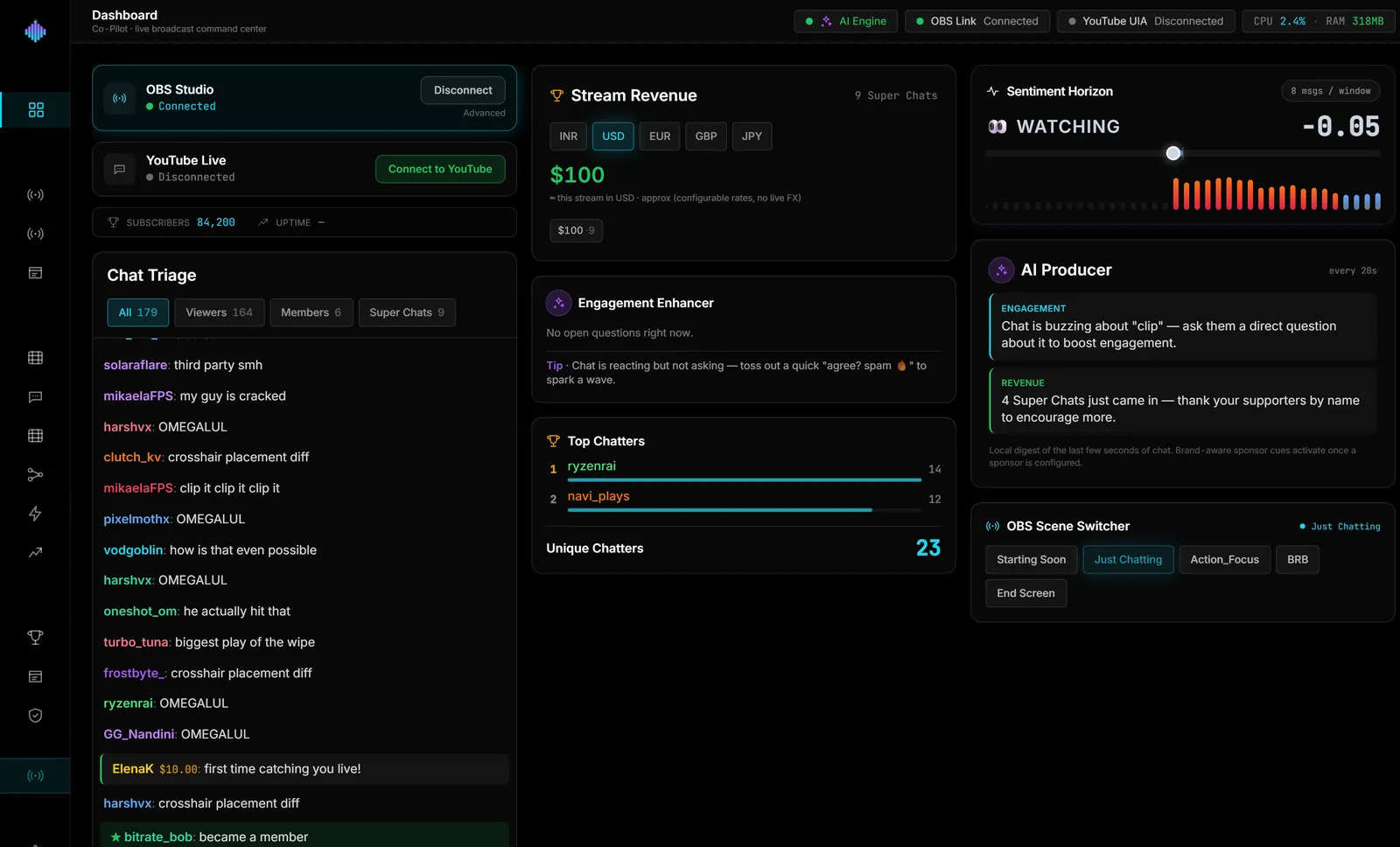
A tool that reads your live chat sees each Super Chat as it is posted and adds it up for you. That is the only way to get an accurate running total without looking away from the game.
How much does YouTube take from Super Chats?
The amount a viewer pays is not what lands in your account:
- YouTube's share. Creators receive 70% of Super Chat revenue after local sales tax and, for purchases made in iOS apps, app store fees; YouTube covers card processing costs (YouTube's Super Chat help). Your own agreement in YouTube Studio is the final word.
- Currency conversion. Super Chats in other currencies are converted at payout, so a live total in the viewer's currency will not match Studio exactly.
- Taxes. Depending on where you live, income tax applies on top.
A useful habit: treat any live total as gross, and Studio's finalised monthly number as the one you budget from.
Make the most of Super Chats once you can see them
Seeing the total live is only useful if it changes what you do:
- Thank people by name, promptly. A fast, specific thank-you is what makes the next viewer send one.
- Mark the moment. A Super Chat during a big play is a clip waiting to happen.
- Give it a moment on stream. Some streamers cut to a celebration scene for larger Super Chats — see how to switch OBS scenes from chat activity.
- Use the numbers with sponsors. Engaged, paying viewers are exactly what a sponsor wants to hear about; how to price a sponsorship covers how to turn your numbers into a rate.
Doing it automatically
If you want the live total without the spreadsheet, streamerOS reads your YouTube chat on your own PC — no API key — and totals Super Chat revenue as it arrives, per currency, on its Live Cockpit. It can also switch your OBS scene when a Super Chat crosses an amount you set. It is a Windows app launching in February 2027, $29 once after a free trial.
Frequently Asked Questions
How do I see how much I made from Super Chats on one stream? Open that stream's video in YouTube Studio, go to its analytics, and check the Revenue tab. The figure is an estimate and may take a day or more to appear.
How much does YouTube take from Super Chats? Creators receive 70% of Super Chat revenue after local sales tax and, for iOS purchases, app store fees.
Why doesn't my live Super Chat total match YouTube Studio? Live totals are gross amounts in the viewers' currencies. Studio reports your share after YouTube's cut and fees, converted to your payout currency.