For YouTube Live
Built for YouTube, not ported to it.
Most stream tools were written for Twitch and grew a YouTube tab later. streamerOS treats Super Chats as money worth tracking, reads your live chat without an API key, and turns the moment chat reacted into a vertical short.
The YouTube streamer’s blind spot
Super Chats arrive in whatever currency the viewer happens to use. YouTube shows each one as it lands and then it is gone up the scroll — so the question "what did this stream actually make?" has no answer until you go digging through the dashboard afterwards.
Meanwhile the chat tools built for Twitch want an API key, a quota and an OAuth dance before they will read a single message, and half of them still cannot see a membership milestone.
streamerOS keeps a running ledger of every Super Chat with a per-currency breakdown, reads your live chat from the page already open in your browser, and marks the moments your chat reacted so the clip is ready when you stop.
A Super Chat ledger, not a scroll
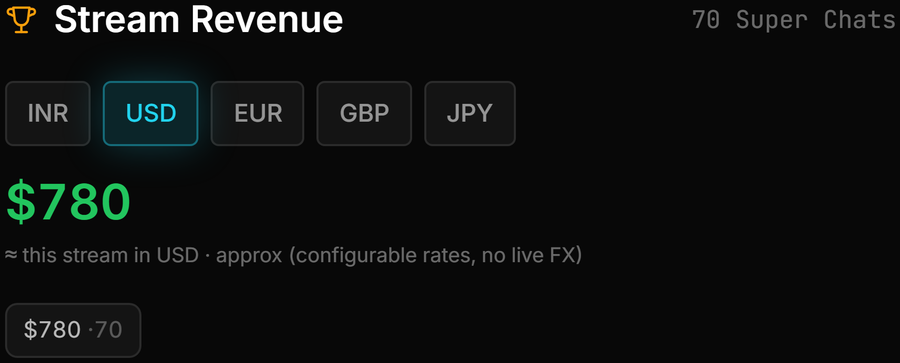
Every Super Chat for the stream, totalled live, with a per-currency breakdown and exchange rates you can edit yourself.
Live chat with no API key
Chat is read from the YouTube live chat page already open in your own browser, on your PC. No Google quota, no OAuth, no key to paste in.
Super Chats that trigger your scenes
A Super Chat crossing an amount you choose can switch the OBS scene, play a sound, change the overlay mood or save the replay buffer.
Stream to short, locally
Hype spikes are marked while you are live, the Clip Library ranks recordings by what chat did, and Shorts Factory cuts a 16:9 VOD down to 9:16 on your own machine.
The actual app
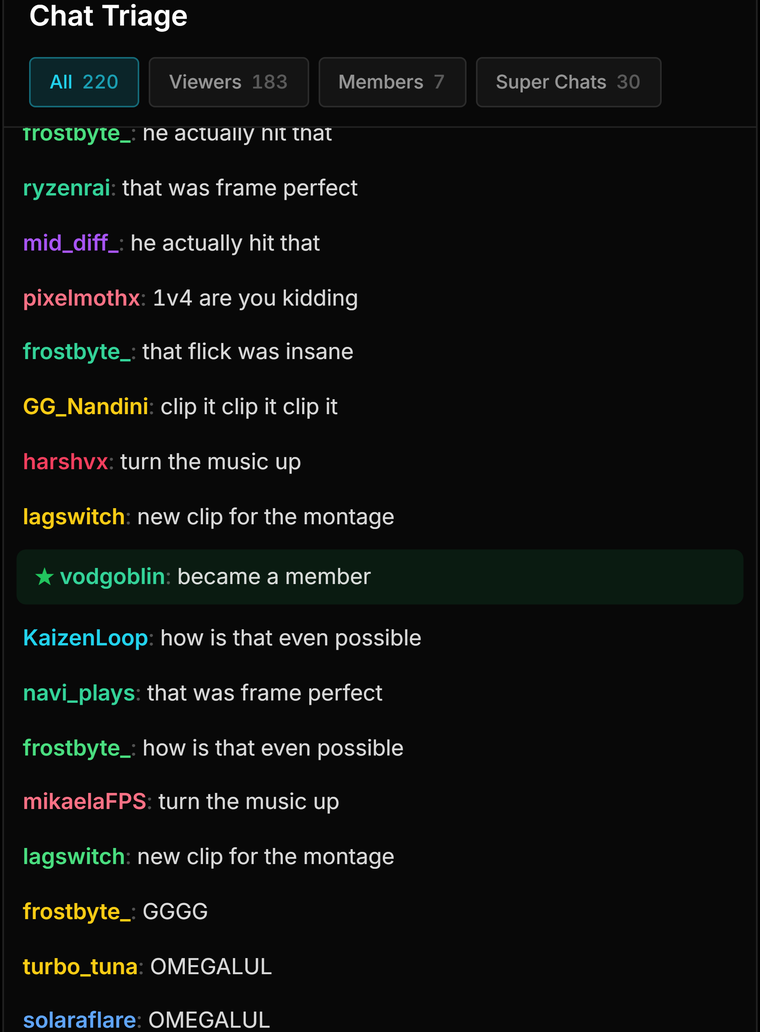
What a YouTube stream looks like in the cockpit
Real captures: the revenue ledger, chat triage and clips ranked by chat reaction.




Where the edges are
Reading chat from your browser rather than from an API is a trade, not a free win, and there are things this is simply not:
- The YouTube live chat page has to be open in your browser for chat to be read. Close the tab and the cockpit stops seeing messages.
- Channel statistics such as subscriber count are the one part that does use the YouTube Data API, and only if you add your own key. Without one, you get chat and Super Chats but not channel stats.
- It is not a YouTube channel manager. No uploading, no scheduling, no thumbnails published for you, no replying to comments on your VODs.
- It reads chat and never posts to it — no bot commands, no auto-replies, no moderation.
- Twitch and YouTube only. Kick is not supported; Streamer.bot is, and it is free.
- Windows only, and not released until February 2027.
The trust page carries the rest of the caveats, including what cannot be verified before launch, and the comparisons say where a free alternative is the better answer.
Frequently asked questions.
Do I need a YouTube API key to use streamerOS?
Not for chat. Your live chat is read from the YouTube page already open in your own browser, on your PC, so there is no key, no quota and no OAuth. A key is optional and only used if you want channel statistics such as subscriber count, in which case it is stored in Windows Credential Manager rather than in a file.
Does it track Super Chat revenue?
Yes. Every Super Chat in the stream is kept in a running ledger with a per-currency breakdown and an approximate total, using exchange rates you can edit. It is also a trigger: a Super Chat over an amount you choose can switch your OBS scene, play a sound or save the replay buffer.
Can it turn my YouTube streams into Shorts?
That is what Shorts Factory does, and it runs on your machine rather than uploading your VOD anywhere. Hype spikes are marked while you are live so the moments worth cutting are already flagged, and a 16:9 recording is cropped to 9:16 and encoded locally.
Does it work with both Twitch and YouTube at once?
Yes, both are supported. Twitch chat is read over an anonymous, read-only connection, and YouTube chat from the live chat page in your browser. Kick is not supported.
More questions answered on the full FAQ.
Know what the stream made before you close OBS
streamerOS v1.0 arrives in February 2027 for Windows 10 and 11.
Pre-register and your trial is 3 months instead of 7 days