For VTubers
Your model is handled. Everything around it is not.
streamerOS does not track your face, rig your model or talk to VTube Studio — keep whatever you use for that. It runs the production layer around your avatar: overlays that shift with the mood of chat, scenes that switch when the room reacts, and the clip already marked when something good happens.
The scene you cannot reach
A VTuber setup is already a stack: tracking software, a model, an overlay pack, OBS and a browser full of chat. Your hands are on the game and your face is driving the avatar — which makes a hotkey the most expensive thing on the desk.
So the reactive bits never happen. The overlay stays in the same state whether chat is dead or losing its mind. The raid scene gets cut to late. The best thirty seconds of the stream passes because clipping meant breaking character to alt-tab.
streamerOS reads what chat is doing on your own machine and drives OBS from it, so the production reacts without you reaching for anything.
Overlays that follow the room
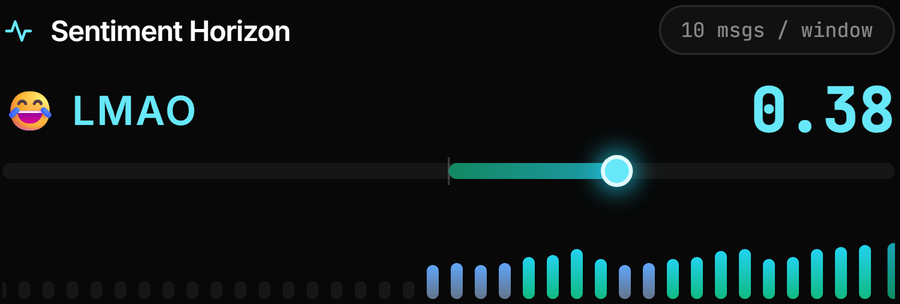
Aura Studio overlays shift with the mood of chat, scored locally — so the scene looks different when the room is hyped than when it is quiet, without you touching it.
Scenes on autopilot
Chat velocity or a Super Chat crossing a threshold you set can switch the OBS scene, change the overlay mood, play a sound or save the replay buffer. No hotkey, no breaking character.
The moment, marked as it happens
Hype spikes are flagged live against your channel baseline, and the Clip Library ranks local recordings by what chat actually did.
Build the overlay in the app
Aura Scene Builder arranges text, image and video layers on a transparent 1920×1080 canvas that OBS takes as a source.
The actual app
The production layer
Real captures: the overlay gallery, the automation canvas and spikes marked live.



What streamerOS does not do for VTubers
This matters more on this page than on any other, so it is stated plainly rather than implied:
- No avatar tracking. No face or hand tracking, no Live2D, no 3D model support, nothing that moves your model.
- No VTube Studio integration. There are no hotkey triggers, expressions or model parameters driven by streamerOS. If an automation rule needs to fire an expression, that is not supported.
- No rigging, no model editing, no asset marketplace.
- It reads chat and never posts to it — no bot commands, no auto-replies, no moderation.
- Windows only, and not released until February 2027.
The trust page carries the rest of the caveats, including what cannot be verified before launch, and the comparisons say where a free alternative is the better answer.
Frequently asked questions.
Does streamerOS work with VTube Studio?
Not directly. streamerOS has no VTube Studio integration — it cannot trigger expressions, hotkeys or model parameters. It runs alongside your tracking software and controls OBS instead: scenes, overlays, clip marking and the chat cockpit. Your model keeps being driven by whatever drives it today.
Does it do face tracking or Live2D?
No. There is no tracking, rigging or model support of any kind in streamerOS. It is a companion app for OBS, chat and clips. If avatar tracking is what you are shopping for, this is the wrong product and you should keep looking.
How do the reactive overlays work?
Chat is read and scored for sentiment on your own PC, and Aura Studio overlays respond to that mood. You can also drive overlay changes explicitly from an automation rule — for example, when chat velocity crosses a threshold you set. The overlay itself is a browser source in OBS, and Aura Scene Builder lets you compose one from text, image and video layers.
Will it break character for me — do I need to alt-tab?
That is the point of the automation. Rules you build once run during the stream, so scene switches, overlay mood changes and replay-buffer saves happen without you touching the keyboard. What it cannot do is speak, post in chat or moderate on your behalf.
More questions answered on the full FAQ.
Keep your hands on the character
streamerOS v1.0 arrives in February 2027 for Windows 10 and 11.
Pre-register and your trial is 3 months instead of 7 days