Auto-Hype Director
Wire chat-velocity and Super Chat triggers through logic gates into OBS actions — a visual node graph that switches your scene, plays a sound or saves a replay clip the instant the room peaks.

streamerOS is a Windows desktop app for Twitch & YouTube streamers — not an operating system — that runs alongside OBS Studio. Built in Rust, it reads your chat on your own PC, scores its mood with local AI, and switches your OBS scenes automatically while your game keeps the rest of the machine.

Features
Wire chat-velocity and Super Chat triggers through logic gates into OBS actions — a visual node graph that switches your scene, plays a sound or saves a replay clip the instant the room peaks.
1.8%
Sustained CPU under a live 1080p60 game. Your frames stay yours.
No account, no backend. Your chat and audio never leave the machine.
Talks straight to OBS — no fragile plugins to keep alive.
Try everything free for 7 days, then $29 once and it is yours — no renewal, no account, no cloud. Pre-register before launch and your trial is 3 months instead of 7 days.
The actual app
10 screens from the build that ships in November, and what each one is for.
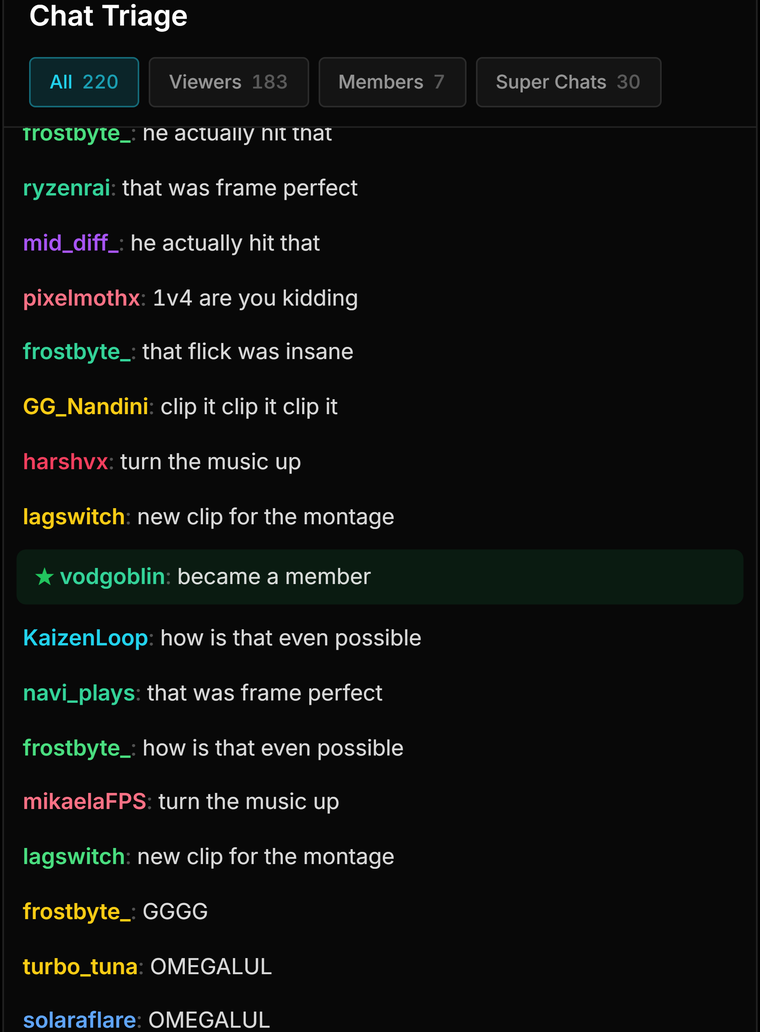
Chat Triage
Every message is tagged as it arrives — viewers, members, Super Chats — with toxic and spam lines filtered out of the viewer feed before you read them. The counts along the top are live, so you can watch the room fill without scrolling.
See the Live Cockpit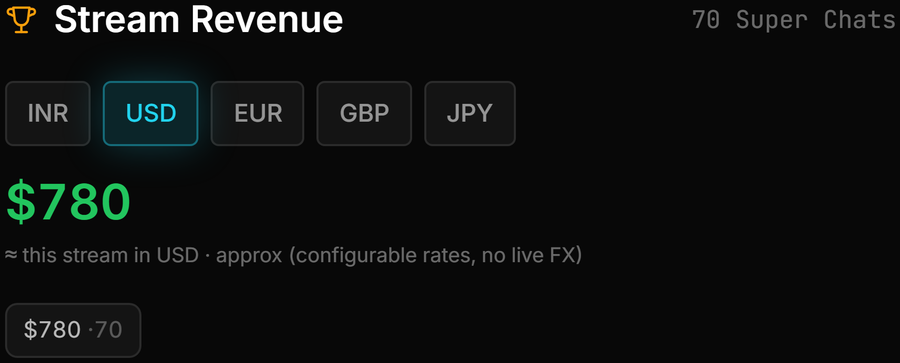
Super Chat Revenue
Every Super Chat lands in a ledger on your PC and is totalled for the stream — exact per currency, plus an approximate total in ₹, $ or whatever you choose, at exchange rates you set yourself.
How revenue is talliedAuto-Hype Director
Drop a trigger, a logic gate and an action onto the canvas — chat velocity above five, switch to Hype Cam — and the rule runs itself for the rest of the stream. No scripting, and no hotkey to remember mid-fight.
See the Auto-Hype Director
Viral Moments
streamerOS tracks messages per second against your own baseline for this stream, so a heat ratio well above 1x means the moment is genuinely bigger than your normal — not merely busy. That is the timestamp your clip wants.
See Viral Moments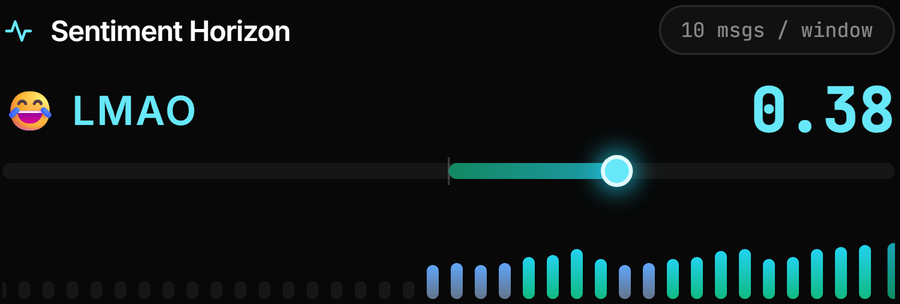
Sentiment Horizon
A local model scores the last few seconds of chat and holds the reading between beats, so the bar glides instead of flickering. One number for the mood of the room, without reading a single line — and it reads Hinglish chat as well as English.
How sentiment is scored
OBS Bridge
streamerOS talks straight to OBS over WebSocket v5, so there is no plugin to reinstall after an OBS update. Your scenes sync into a deck you can hit directly, and the status bar shows what it costs while your game runs.
See the OBS Bridge
Clip Library
Recordings are scored by what chat actually did — peak velocity, Super Chats, sentiment swing — then ranked. Instead of scrubbing an eight-hour VOD, you open the list and the good bits are at the top.
See the Clip Library
Sponsor CRM
Leads move from prospect to contacted to negotiating to won, with the deal value on each card and a running open-pipeline total. It is a SQLite file on your disk — not a subscription, and not a spreadsheet you forget.
See the Sponsor CRM
Chat Archive
Every line of chat is saved to your own disk, stream by stream. Search it by word or username, label the big nights, redact a line or export a whole stream — and it stays readable even if you never buy a licence.
See the Chat Archive
Aura Studio
Pick a design from the gallery and it shifts from Calm to Hype on its own as your game and chat heat up, served to OBS straight from your PC. Want your own look? Build it in the Aura Scene Builder.
See Aura StudioHow it works
Three steps. Then it runs itself.
Step 1
Point streamerOS at your Twitch or YouTube chat. It starts reading velocity and sentiment in real time — entirely on your machine.
Step 2
Drag trigger, logic, and action nodes onto the canvas. You decide what “hype” means for your stream.
Step 3
When the room peaks, streamerOS fires your scene change instantly. You stay in the game; the broadcast runs itself.
Try the whole cockpit free for 7 days, then $29 once — no subscription, no account, no cloud. Pre-register before launch and your trial is three months instead of seven days.
Launching February 2027The whole cockpit, unlocked, for a week. Nothing is held back.
Pay once, keep it. No renewal, no account, no cloud.
Trial over and not ready to buy? Your data is never locked away. The dashboard, Clip Library, Chat Archive and your last stream's report stay open, and the AI Sidekick keeps answering up to 10 messages a day. How the free tier works.