Feature Guide
Your best moments, already found.
No more scrubbing a four-hour VOD for the one good moment. Clip Library scores every recording by real hype signals — peak chat velocity, Super Chats, and sentiment — so clipping stops being a scavenger hunt. Everything runs locally on your machine.
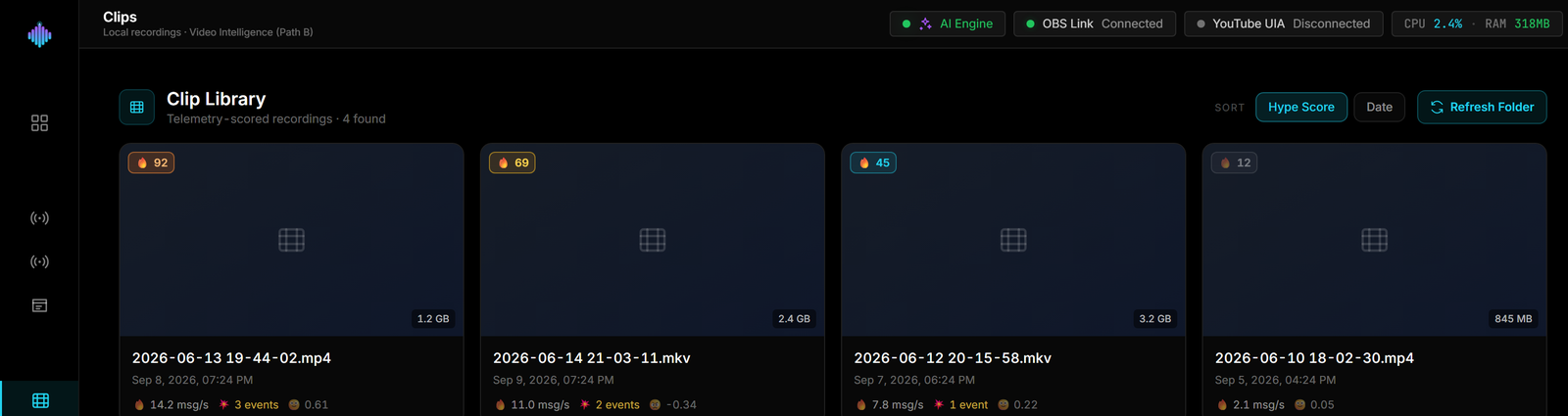
From raw VODs to ranked clips in three steps.
Point → Score → Stage. The app already knows where the hype was, so your best clips rise to the top on their own.
Step 1 · Point it at your recordings
Select your Videos folder of VODs.
Open Clip Library and choose the folder where your stream recordings live. It scans your local .mp4 and .mkv files — nothing is uploaded — and lists every VOD it finds, ready to score.
Videos folder
Step 2 · It scores every moment by hype
Every VOD gets a telemetry-derived hype score.
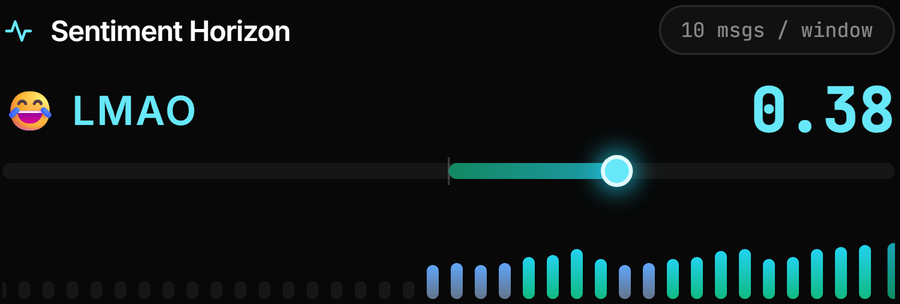
Clip Library correlates each recording's time window against the stream telemetry captured locally in SQLite, then weights the signals: peak chat velocity counts for 50%, Super Chats and action events for 30%, and sentiment intensity for the last 20%.
Hype score
Step 3 · Your best clips rise to the top
Stage a high-scorer into the Shorts workspace.
Your VODs are ranked by hype score, best first. Pick a top clip and stage it — Clip Library copies the recording into the Shorts workspace, where it's ready for editing. No scrubbing, no guesswork.
Ranked by hype
Frequently asked questions.
How does the Clip Library find my best stream moments?
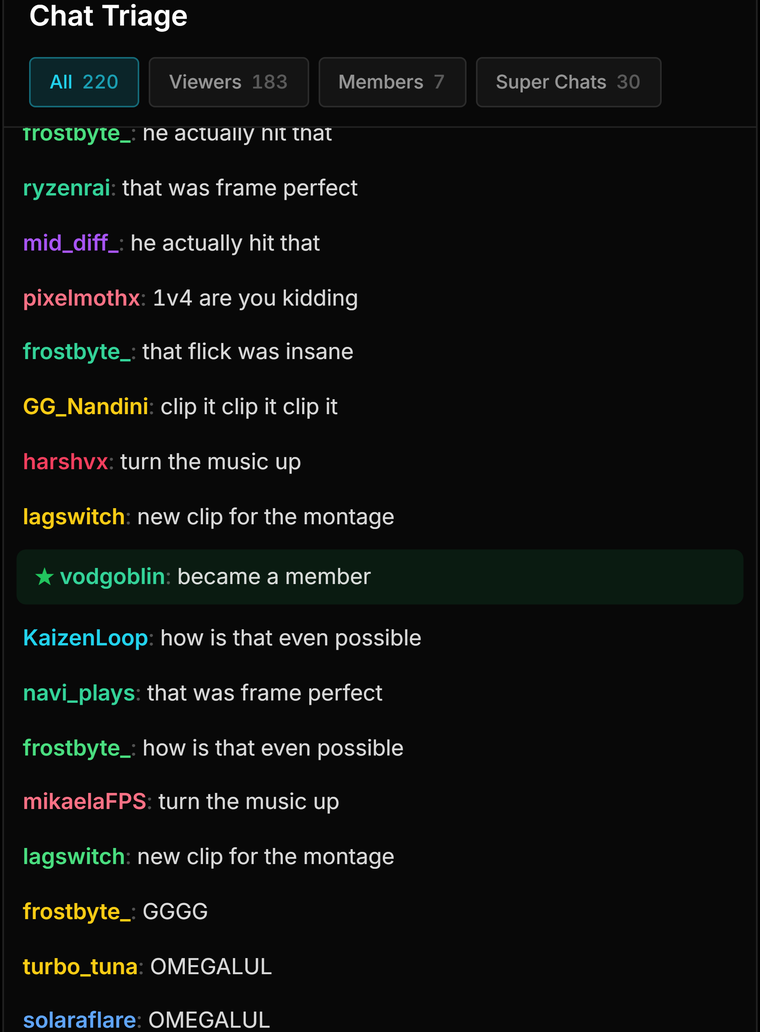
streamerOS scores your local VOD recordings with a hype score built from what your audience actually did: peak chat velocity (50%), Super Chats and paid actions (30%), and chat sentiment (20%). The highest-scoring moments float to the top automatically — no scrubbing through hours of footage.
Do my VODs get uploaded to a cloud service for analysis?
No. The scoring runs entirely on your machine against your local recordings. streamerOS is zero-cloud by architecture — your footage, telemetry, and scores never leave your disk.
Does it work with both Twitch and YouTube streams?
Yes. streamerOS reads Twitch and YouTube chat in real time, so the hype score reflects your whole audience regardless of where you broadcast — or if you multistream to both.
How do I turn a scored moment into a clip for my editor?
Pair the Clip Library with Viral Moments, which marks hype spikes live and exports the timestamps to CSV. Your editor jumps straight to the scored moments instead of hunting for them.
Can I turn a top-scoring recording into a Short inside streamerOS?
Yes. Stage it from the Clip Library and it is copied into your workspace — the original recording stays untouched — ready for Shorts Factory, which crops a 16:9 moment to a vertical 9:16 .mp4 on your PC. Both ship in the February 2027 launch build.
More questions answered on the full FAQ.
The actual app
How a clip gets found.
The ranked library, and the live signals that scored each recording.


Let your VODs sort themselves out.
Clip Library ships in the November launch build — scoring every recording against local telemetry, entirely on your own machine, and handing the best ones straight to Shorts Factory.
Launching February 2027