Feature Guide
Master the Auto-Hype Director.
A simple visual node editor that automates OBS based on your chat’s live energy. You drag nodes onto a canvas, wire them together, and streamerOS switches scenes the instant the room reacts — no scripting, no plugins, no cloud.
Build your first rule in three steps.
Trigger → Logic → Action. Watch a quiet stream cut to your Victory scene the moment chat erupts.
Step 1 · The Trigger
Drop a Trigger node onto the canvas.
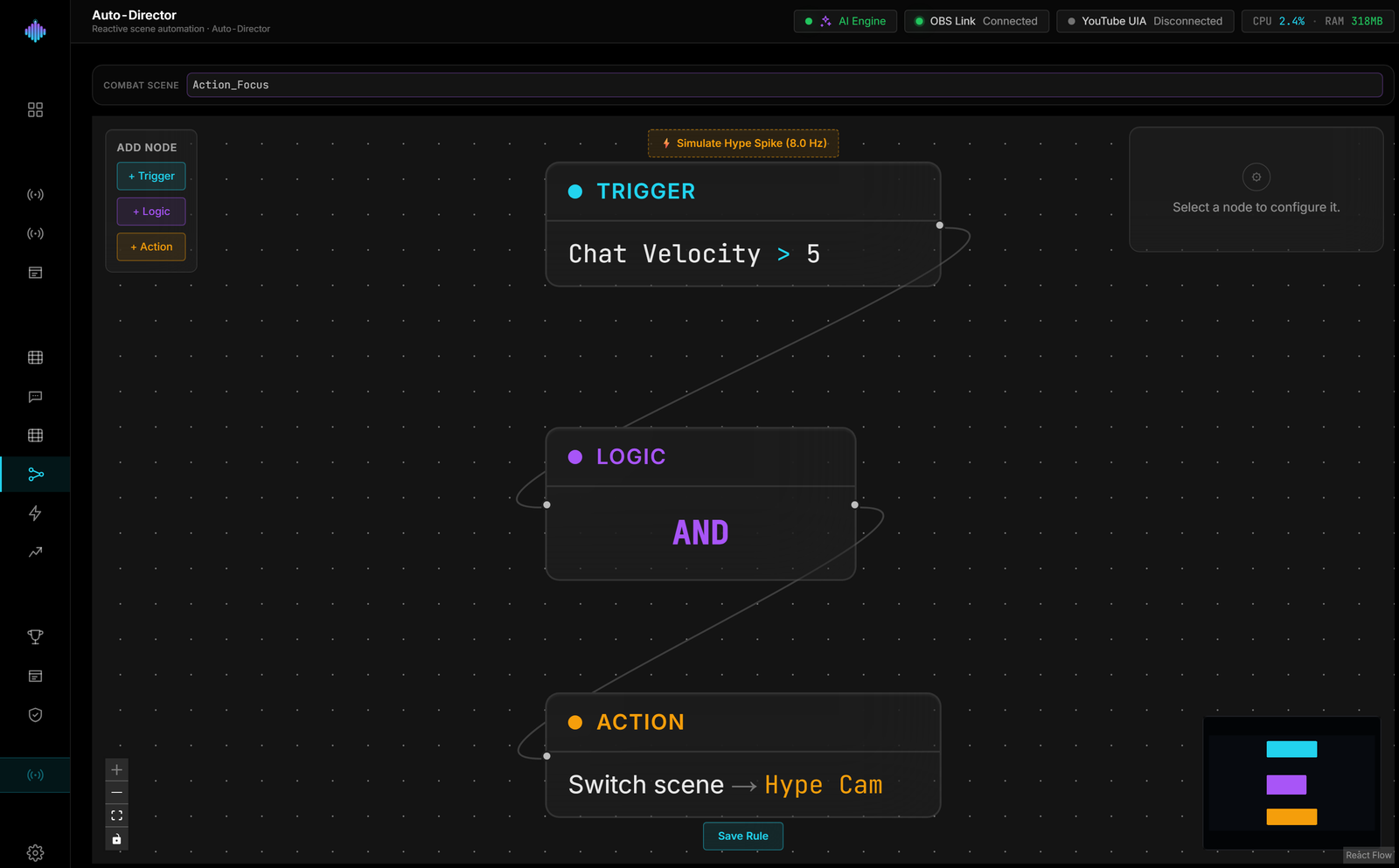
Open the Auto-Hype Director and drag a Trigger node from the palette onto the canvas. With it selected, the Properties panel opens on the right — set it to watch Chat Velocity and fire when it climbs past 40 messages per second.
Drag onto canvas
Chat Velocity
when value > threshold
Step 2 · The Logic
Connect the Trigger into a logic gate.
Drag from the Trigger node's output handle to an AND gate to draw a connection. Logic nodes combine multiple signals — with a single trigger, AND simply passes it through, and you can add more conditions later without rewiring.
Draw a connection
Chat Velocity
> 40 / s
AND gate
all inputs true
Step 3 · The Action
Wire the gate to a scene switch.
Finally, connect the gate to an Action node and point it at OBS. Set the action to Switch OBS Scene and choose your Victory scene. When chat velocity crosses 40/s, the gate goes hot and streamerOS cuts the broadcast to Victory automatically.
Set the output
AND gate
all inputs true
Frequently asked questions.
Does the Auto-Hype Director work with OBS Studio?
Yes — it is built natively for OBS Studio. streamerOS talks to OBS over OBS WebSocket v5, the official control interface, entirely on your local machine. When a rule fires, it switches your OBS scene directly — no plugins to install and no cloud round-trip.
Do I need to know how to code or script?
No. The Auto-Hype Director is a visual node editor: you drag Trigger, Logic, and Action nodes onto a canvas and wire them together. A working "chat erupts → cut to Victory scene" rule takes three nodes and no scripting.
What can trigger an automatic OBS scene switch?
Trigger nodes watch chat velocity (messages per second) and Super Chats, each compared against a threshold you set. You combine triggers through AND / OR logic gates, so a rule can be as simple as "chat velocity above 5 messages per second" or require several conditions at once.
What can a rule do besides switching scenes?
Action nodes can switch an OBS scene, play a sound clip, change your Aura overlay’s mood, mute or unmute an OBS audio input, save your OBS replay buffer as a clip, or post a message to your own Discord webhook. Scene switches fire once when the condition is met rather than on every tick, so OBS is never spammed while chat stays hot.
Will automation add lag to my stream?
No. Everything runs locally next to OBS — there is no server in the loop. The whole streamerOS app holds a 1.8% CPU footprint under a live 1080p60 game, so your frames stay with the game and the scene cut lands the instant the trigger condition is met.
Is HypeDirector the same as the Auto-Hype Director?
Yes. The Auto-Hype Director is sometimes written as HypeDirector or Hype Director — they all refer to the same streamerOS feature: the visual node editor that watches chat velocity and Super Chats and drives OBS scene changes automatically.
How does it know what counts as a spike?
You decide. A trigger node compares chat velocity (messages per second) or Super Chats against a threshold you set, such as more than 5 messages a second. Five a second is a riot on one channel and idle on another, so set the number from your own channel's normal pace — Viral Moments shows that baseline and how far above it each spike goes.
More questions answered on the full FAQ.
The actual app
Every part of the Auto-Hype Director.
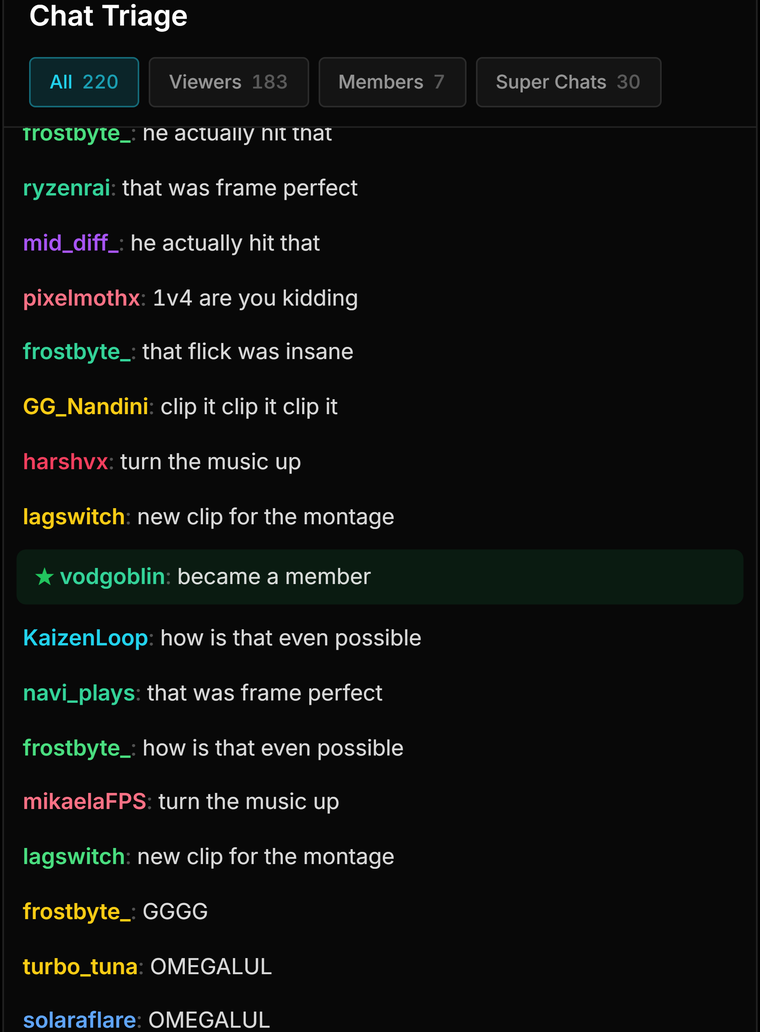
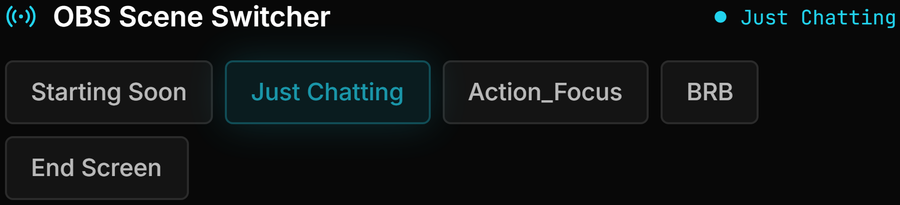
The canvas, the signals it reads, and the OBS scene it ends up switching.



Build it on your own machine.
The Auto-Hype Director ships in streamerOS v1.0, running at a 1.8% CPU footprint. Free to try, then $29 once.
Launching February 2027