Feature Guide
Every stream’s chat, saved on your PC.
Chat scrolls past in seconds. Chat Archive keeps it. Every YouTube and Twitch chat line is saved automatically, grouped by stream, so you can find the question you missed, the name you meant to shout out or the moment chat lost it. Nothing is uploaded.
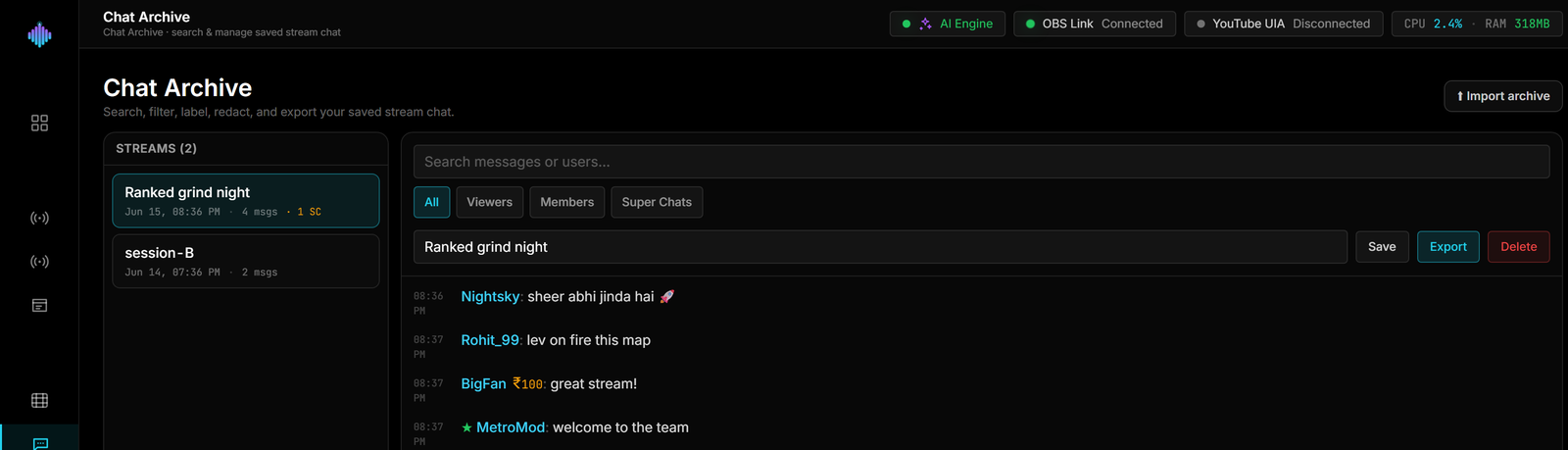
From live chat to a searchable history in four steps.
Stream → Search → Label → Export. The same chat you triage live in the Live Cockpit is still there after you go offline.
Step 1 · It saves itself
Go live. Chat is saved as it lands.
Every chat line from YouTube or Twitch is written to a local SQLite database in the streamerOS data folder on your PC, grouped by stream. Each stream shows up in your list with its start and end time, message count and Super Chat count. Nothing is uploaded.
Saved on this PC
Valorant ranked night
Sep 9 · 20:02–23:41·2,318 msgs·14 SC
Just Chatting Q&A
Sep 7 · 19:30–21:05·906 msgs·3 SC
Speedrun practice
Sep 5 · 21:10–23:52·1,142 msgs
Step 2 · Find anything
Search one stream, or all of them.
Search across message text and usernames — upper or lower case doesn't matter. Filter to regular messages, Super Chats or membership milestones, and look inside a single stream or across every stream you've saved.
All streams
Step 3 · Label and tidy
Name your streams. Remove what you don't want kept.
Give a stream a label like “Valorant ranked night” so it's easy to find later. Redact a single message, or delete a whole stream's chat in one go.
Manage stream
Step 4 · Export or import
Keep a copy as a file.
Export a stream as a compressed (gzipped) JSON file — it lands in the chat-archives folder inside your streamerOS workspace. To read an archive again, import it from inside your workspace and browse it in the app.
Workspace / chat-archives
With the AI Sidekick
Ask your chat history a question.
The AI Sidekick can search your saved chat for you. Ask “what did people say about the new skin last stream?” and it looks through the archive with its chat-archive tool before it answers. The search runs against the database on your PC, and if nothing matches, it says so instead of inventing messages.
I found messages about the skin in Valorant ranked night. A few of them:
pixelpanda: where do you get that skin?
rahul.plays: new skin looks insane on stream
Your chat, your call.
An archive of real people’s messages should be handled with care. Here is exactly what happens to it.
Stored on your PC
Chat is saved to a local database in the streamerOS data folder. Nothing is uploaded, and there is no cloud copy.
You decide what stays
It keeps public usernames and messages as they appeared on stream. Redact a single line or delete a whole stream whenever you want.
Readable after the trial
When the trial ends, your archive stays readable for free. It is your data.
More on how streamerOS keeps your data local in Zero-Cloud Privacy. What the trial and the one-time licence include is on the pricing page.
Frequently asked questions.
Do I have to turn chat saving on?
No. Once your YouTube or Twitch chat is connected, streamerOS saves every live chat line automatically and groups it by stream session. There is nothing extra to switch on.
Where is my chat stored? Is it uploaded anywhere?
In a local SQLite database under the streamerOS data folder on your PC. Nothing is uploaded, and there is no cloud backup — if you want a copy somewhere else, export the stream and keep that file with the rest of your backups.
What does it store about my viewers?
Public chat as it appeared on your stream: each message with its username, time and type — a regular message, a Super Chat with its amount, or a membership milestone. It is public information, but it is still people's names and words on your disk, so you stay in control: redact any single message or delete a whole stream's chat whenever you want.
How does search work?
Type a word or a name and it matches message text and usernames, ignoring upper and lower case. You can filter by message type and search one stream or all of them. It is a straightforward text match, not a fuzzy search, and each search returns up to a few hundred messages so it stays quick — pick a single stream or a message type to narrow a big result.
Can I export my chat, or open an old archive?
Yes. Export saves a stream as a compressed (gzipped) JSON file in the chat-archives folder inside your streamerOS workspace. Import opens an archive file so you can read it in the app — the file needs to be inside your workspace folder, so copy it there first if it lives somewhere else.
Can the AI Sidekick use my saved chat?
Yes. Ask something like "what did people say about the new skin last stream?" and the Sidekick searches your saved chat with its chat-archive tool before it answers. The search runs against the database on your PC, and if nothing matches, it tells you so instead of making messages up.
What happens to my archive when the trial ends?
It stays readable for free. streamerOS is free for 7 days, then $29 once; the licence covers the tools that act during a live stream. Your saved chat is your data, and an expired trial never hides or deletes it.
More questions answered on the full FAQ.
The actual app
Your chat history, in the app.
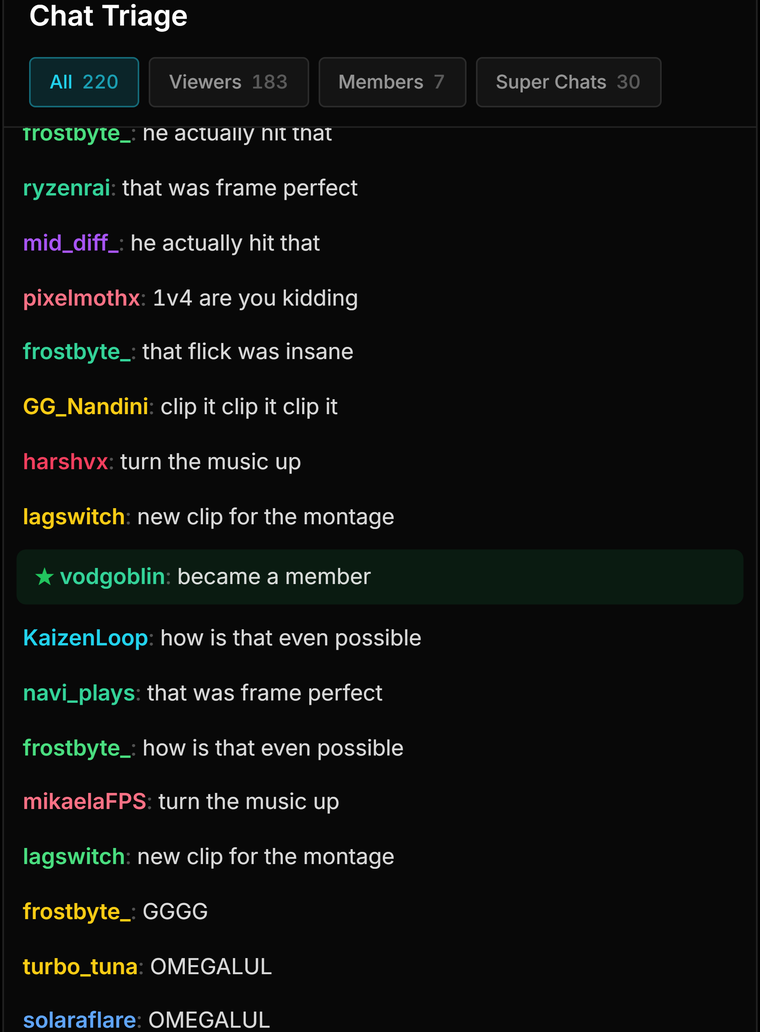
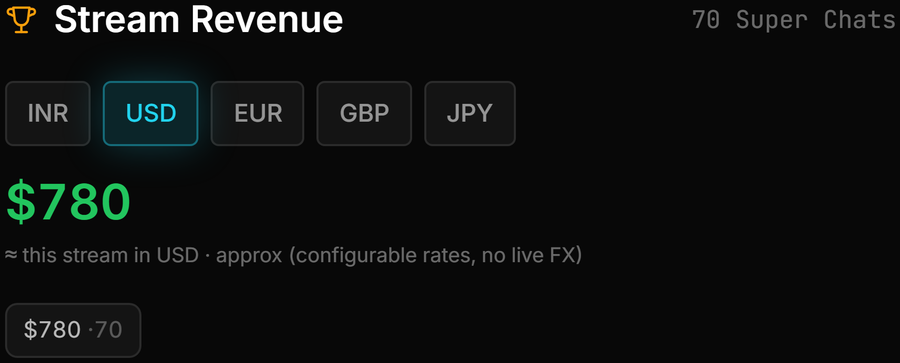
The archive, a labelled stream, and the live panels the chat comes from.

Keep every stream’s chat.
Chat Archive ships at launch in February 2027. Free for 7 days, then $29 once — and your archive stays readable either way.
Launching February 2027