Feature Guide
Your upload kit, written from your own chat.
Stream’s over and the title box is blank. Viral Engine reads the game you played and what chat reacted to, then writes three YouTube titles, a set of hashtags and a thumbnail plan — using local AI on your own PC.
From live stream to upload kit in four steps.
Pick a mode → read the room → copy titles and tags → plan the thumbnail.
Step 1 · Pick a mode
Live Sync, or describe the video.
Streaming right now? Live Sync builds the kit from your stream as it happens. Cutting a VOD or planning an upload? Describe Video takes a one-line description instead — something like “valorant ranked, insane 1v5 clutch”.
Viral Engine · mode
Game + recent live chat
Type what the video is
Describe Video
valorant ranked, insane 1v5 clutch
Step 2 · Read the room
It reads your game and your chat.
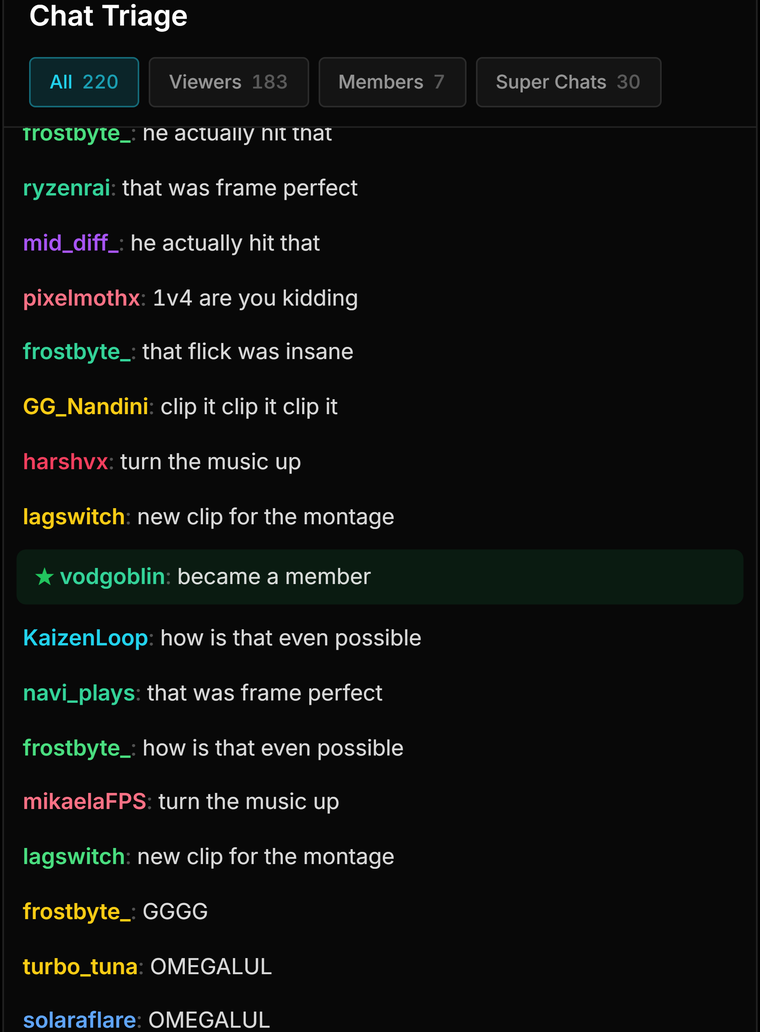
Live Sync picks up the game in the foreground from a built-in list — Valorant, CS2, GTA V, Fortnite, Apex Legends, Minecraft, PUBG: Battlegrounds and more — and samples up to 40 recent chat lines, so the suggestions reflect what your audience is actually reacting to. No game detected? It still runs.
Live Sync · context
kiran_07 NO WAY he took that 1v5
ghostpeek clip it clip it clip it
aim_trainer that last jett dash was insane
mods_r_us ranked grind hits different today
Step 3 · Copy titles and tags
Three titles and a hashtag cloud.
You get exactly three YouTube title suggestions, each 70 characters or fewer and one click to copy, plus 6–10 hashtags, each starting with # and including the game, laid out as a tag cloud.
Upload kit
Step 4 · Plan the thumbnail
A thumbnail plan before you open an editor.
Thumbnail Lab takes your chosen title and top tags and writes a three-point plan: where the subject sits in the 16:9 frame, two or three contrasting colours that read on OLED and phone screens, and a bold text hook of two to four words.
Thumbnail Lab
Clutch16:9
Subject placement
Contrasting colours
Text hook
What “trending” means here
Built from your audience, not a trends feed.
Viral Engine doesn’t scrape YouTube or pull platform-wide trend data. It works from three things you already have — the people who watch you, and what they just reacted to.
Your chat
Up to 40 recent live chat lines — the moments your viewers are actually reacting to.
Your game
The game detected in the foreground, so every title and tag is specific to what you played.
Your PC
A local AI model reads it all on your own machine. The chat sample never goes anywhere else.
Find the moment, then package it.
Viral Engine writes the kit. These find the moment worth writing it for.
Frequently asked questions.
Does Viral Engine use YouTube trending data?
No. There is no external trends feed. "Trending" in Viral Engine means what your own audience is reacting to right now — the live chat sample and the game you are playing — not platform-wide YouTube trends. If you already know a topic is hot, type it into Describe Video and the kit is written around it.
Is my chat sent to a cloud AI?
No. The chat sample goes only to the local AI model running on your own PC through Ollama. Nothing is uploaded, and Viral Engine does not post anything to YouTube for you — you copy the title and tags into YouTube Studio yourself.
Which games does Live Sync recognise?
Live Sync detects the game in the foreground from a built-in list that includes Valorant, CS2, GTA V, Fortnite, Apex Legends, Minecraft and PUBG: Battlegrounds. If no game is detected it still runs, working from your chat. For anything off the list, Describe Video lets you name the game yourself.
Can I use it for a VOD after the stream?
Yes — that is what Describe Video is for. Type what the video is, for example "valorant ranked, insane 1v5 clutch", and it writes the same kit. Live Sync works from the chat coming in while you stream.
Does Thumbnail Lab make the thumbnail image?
No. It writes a three-point plan — where the subject sits in the 16:9 frame, two or three contrasting colours that read on OLED and phone screens, and a bold two-to-four-word text hook. You or your editor build the thumbnail from that plan in your usual tool.
Are the titles ready to post as they are?
They are written to fit — each is 70 characters or fewer — and to be specific to your game and chat. But they come from a small local model, so treat them as three strong starting points: pick one, read it once, tweak it if needed.
What do I need, and what does it cost?
Viral Engine uses the same local AI engine as the AI Sidekick, so Ollama needs to be installed on your PC. It ships at launch in streamerOS, which is free for 7 days, then $29 once. After the trial, Viral Engine is part of the $29 licence.
More questions answered on the full FAQ.
The actual app
Where the kit comes from.
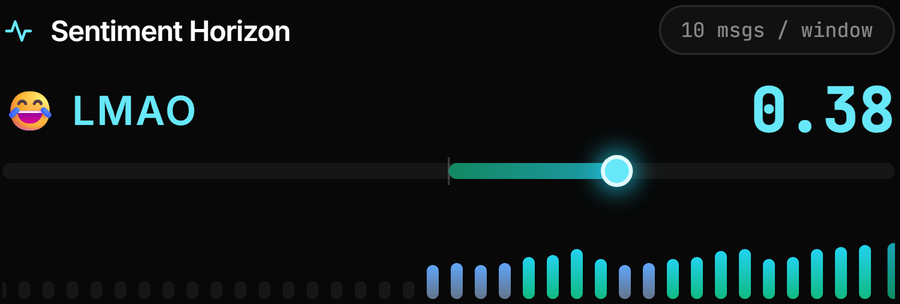
The upload kit, the thumbnail plan, and the live chat signals it is built from.
Stop staring at a blank title box.
Viral Engine ships at launch in streamerOS, running on the local AI engine on your own PC. Free for 7 days, then $29 once.
Launching February 2027