Feature Guide
Your sponsor pitch, built in a minute.
The Media Kit Generator turns your raw YouTube Studio and Twitch analytics exports into a branded, sponsor-ready PDF media kit. It computes your real reach on your own machine — no cloud, no account, no weekend lost to Canva.
From CSV to pitch deck in three steps.
Import → Compute → Export. Drop in your analytics, let it crunch duration-weighted reach, and hand a sponsor a polished PDF.
Step 1 · Import
Drop in your analytics exports.
Select the CSV files you download from YouTube Studio and Twitch — one file or many. streamerOS reads every export you give it, so a channel spanning both platforms lands in a single kit.
Import analytics files
2 files ready · single or multi-import
Step 2 · Compute
It crunches duration-weighted reach.
streamerOS computes duration-weighted channel metrics across every imported file — average and peak concurrent viewers, plus total watch time. Weighting by duration means a marathon stream counts for more than a five-minute test, so the numbers reflect your real audience. Supply your own YouTube Data API v3 key and it folds live channel vitals in too.
Computed channel metrics
weighted across 2 files · illustrative figures
Step 3 · Export
Export a sponsor-ready PDF.
One click renders a branded PDF media kit — your channel name and headline stats laid out on a clean cover, ready to attach to a sponsor pitch. Everything happened locally; nothing left your machine.
Media kit · cover.pdf
Media Kit 2026
@NightOwlPlays
YouTube · Twitch
1,240
Avg CCV
4,870
Peak CCV
18.4k
Watch hrs
Frequently asked questions.
What do I need to generate a sponsor media kit?
Just the analytics CSV exports that YouTube and Twitch already give you. streamerOS imports them, computes duration-weighted average and peak viewers plus watch time, and exports a branded, sponsor-ready PDF — in minutes, not an afternoon in a spreadsheet.
Is my channel analytics data uploaded anywhere?
No. The numbers are computed locally on your machine and the PDF is written to your own disk. streamerOS has no account and no backend — your analytics stay yours.
Why do sponsors ask for a media kit?
Sponsors evaluate creators on consistent, verifiable numbers — average and peak viewers, watch time, audience reach. A clean one-page kit answers those questions up front and makes you look professional before the negotiation even starts.
More questions answered on the full FAQ.
The actual app
The numbers a sponsor asks for.
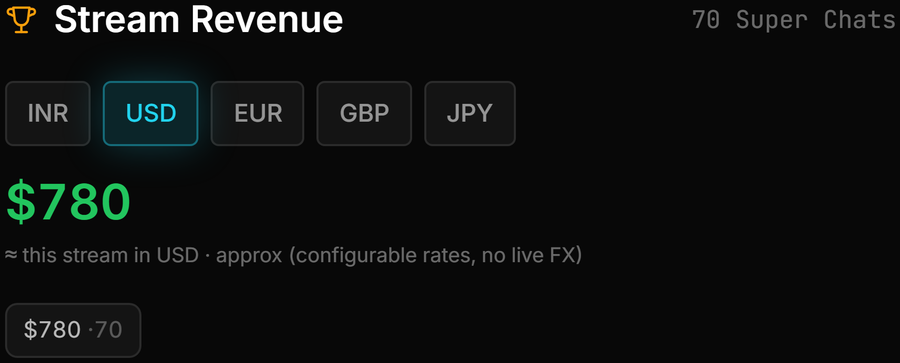
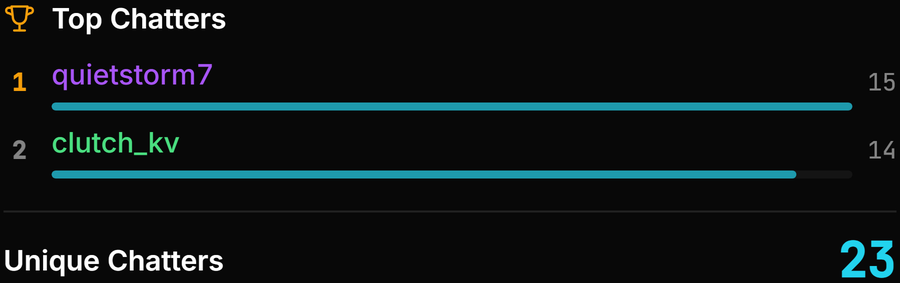
Where each figure in the kit comes from, measured while you were live.



Pitch sponsors from your own machine.
The Media Kit Generator ships with streamerOS v1.0 in February 2027 — import your exports, and a branded PDF is minutes away. Everything runs locally.
Launching February 2027